

Runtime context for
your coding agent
Moltiplex is a research project exploring how observability tools should serve AI coding agents. It consumes OpenTelemetry traces and exposes compact, machine-readable evidence via MCP tools purpose-built for agent-driven investigation.
Treating coding agents as the primary consumer of observability.
Agent-first observability · Powered by OpenTelemetry
Runtime context, inside your existing tools
Your coding agent knows the code. Moltiplex gives it production truth.
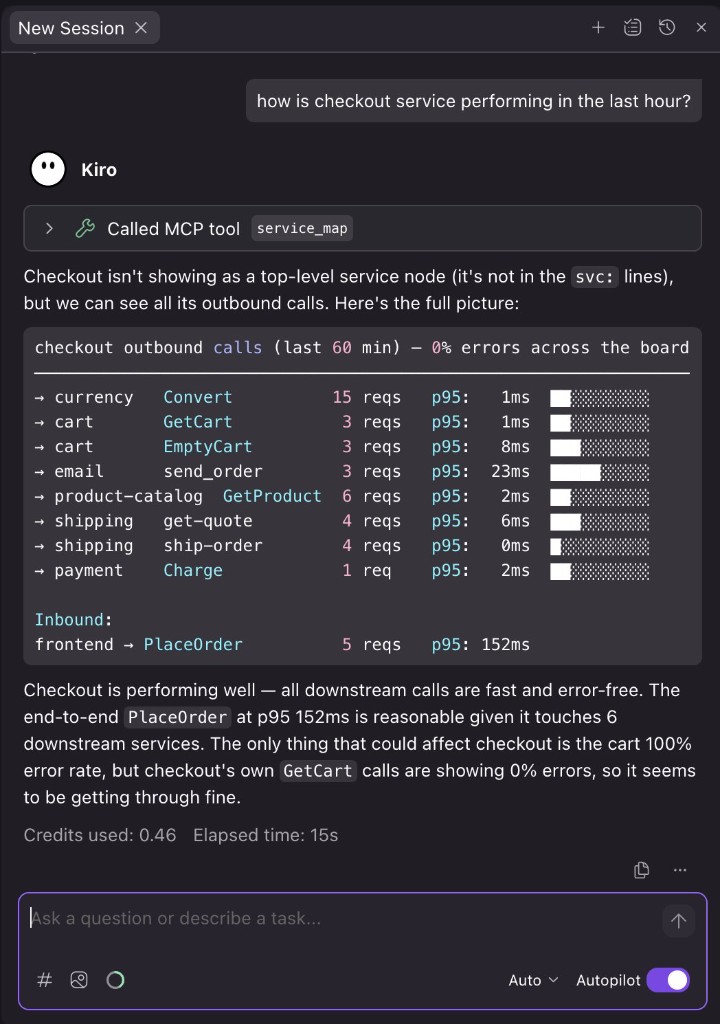
Why runtime context matters
When the question is production—not just code—agents need the same evidence engineers use, without pasting traces, dashboards, and logs into the chat. Moltiplex serves compact, machine-readable runtime signal through tools and MCP so investigation stays inside Cursor, Kiro, or Claude Code. It complements your IDE and your observability stack; it is not a replacement for either.
v1.0 // agent-only
Moltiplex for agents
Moltiplex consumes your OpenTelemetry (OTLP) traces, then your agent calls scan() with no parameters — no service names, no time ranges. It gets back what's anomalous vs baseline, in machine format, and combines that signal with your code to reach the answer.
- Get in touch: hello@moltiplex.io — share your environment and what you want to investigate with your coding agent.
- We will help you connect MCP and OpenTelemetry in a way that fits your current tools.
- Your agent can investigate production using compact, machine-readable runtime evidence.
- Ask in plain language — your agent combines production signal with your code.
User asks
Moltiplex signal (terse, <500 tokens for full investigation)
scan()
v:1.0|window:60m|ts:2024-01-15T14:23Z|checked:5_svcs
anomaly|id:anom-8af23|svc:checkout-api|op:process_payment|type:latency|z:3.2|now:890ms|baseline:145ms|n:247
normal|svc:payment-svc,cart-svc,inventory-svc,email-svc

investigate(anom-8af23)
slow_spans:redis_get(avg+1200ms),postgres_query(avg+45ms)
deploy_proximity:deploy-abc123|13min_before_onset
evidence:8af23,9bc45,7cd12

→ Your agent combines this signal with your codebase and context to explain why.
Production investigation without leaving the IDE
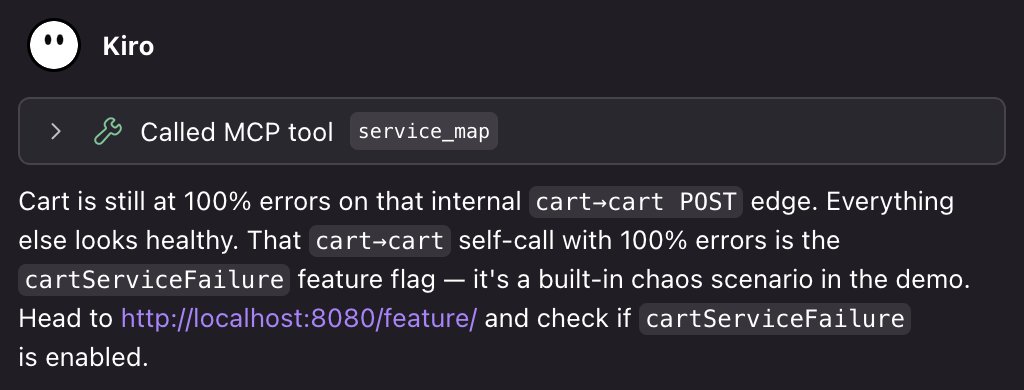
Moltiplex returns signal your agent can build on—so follow-up questions move from “what’s wrong?” toward “what’s the likely cause?”
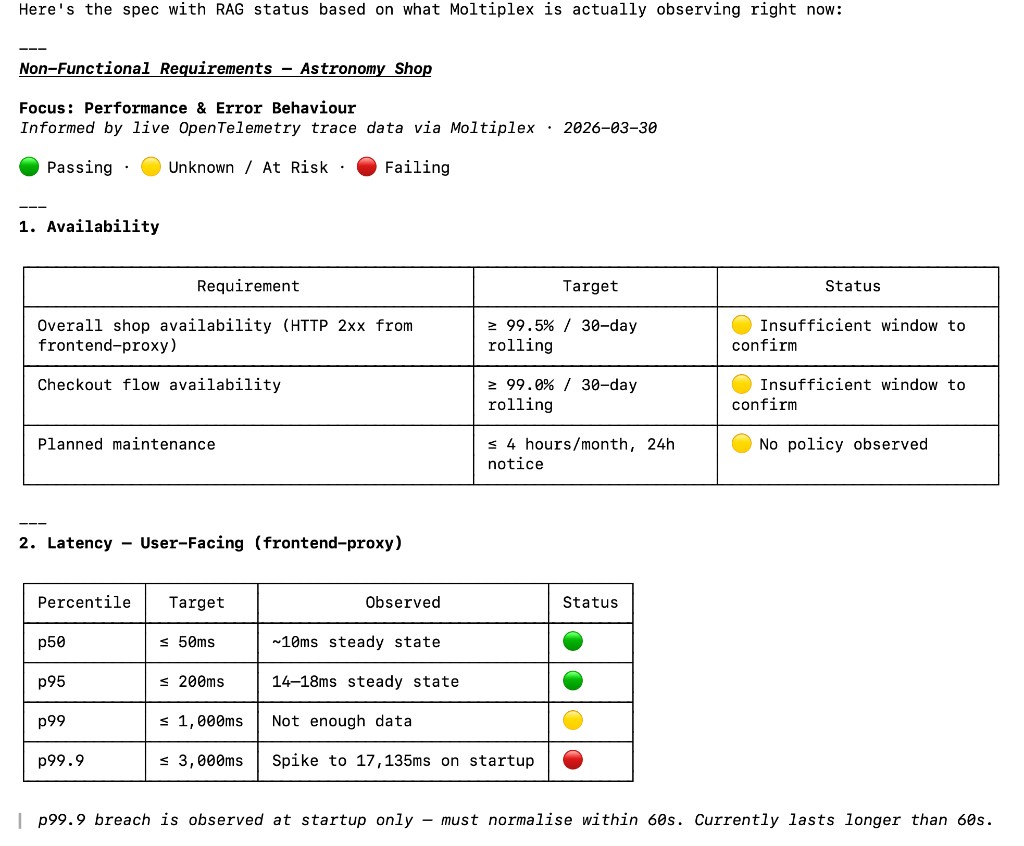
Bring your specs to life
Ask your IDE whether production is meeting the requirements in your specs. Moltiplex provides runtime context for Spec Driven Development so your agent can display RAG status, latency percentiles, availability targets without the need to build standalone SLO dashboards.
Example
User asks
Why did checkout slow down?
Moltiplex signal (what the agent gets)
anomaly|id:anom-8af23|svc:checkout-api|op:process_payment|type:latency|z:3.2|now:890ms|baseline:145ms
slow_spans:redis_get(avg+1200ms)
deploy_proximity:deploy-abc123|13min_before_onset
evidence:8af23,9bc45
Your agent combines this with your codebase and context to explain why — we don't hand it a pre-cooked answer.